Link Tracking 101: How to Measure the Performance of Every Link You Share
Marketing without data is like driving with your eyes closed. You might be heading in the right direction, but you have no way of knowing for sure. Link tracking gives you the visibility you need to make confident, informed decisions about your marketing strategy.
In this beginner’s guide to link tracking, we will cover what it is, why it matters, what data you should pay attention to, and how to start tracking every link you share.
What Is Link Tracking?
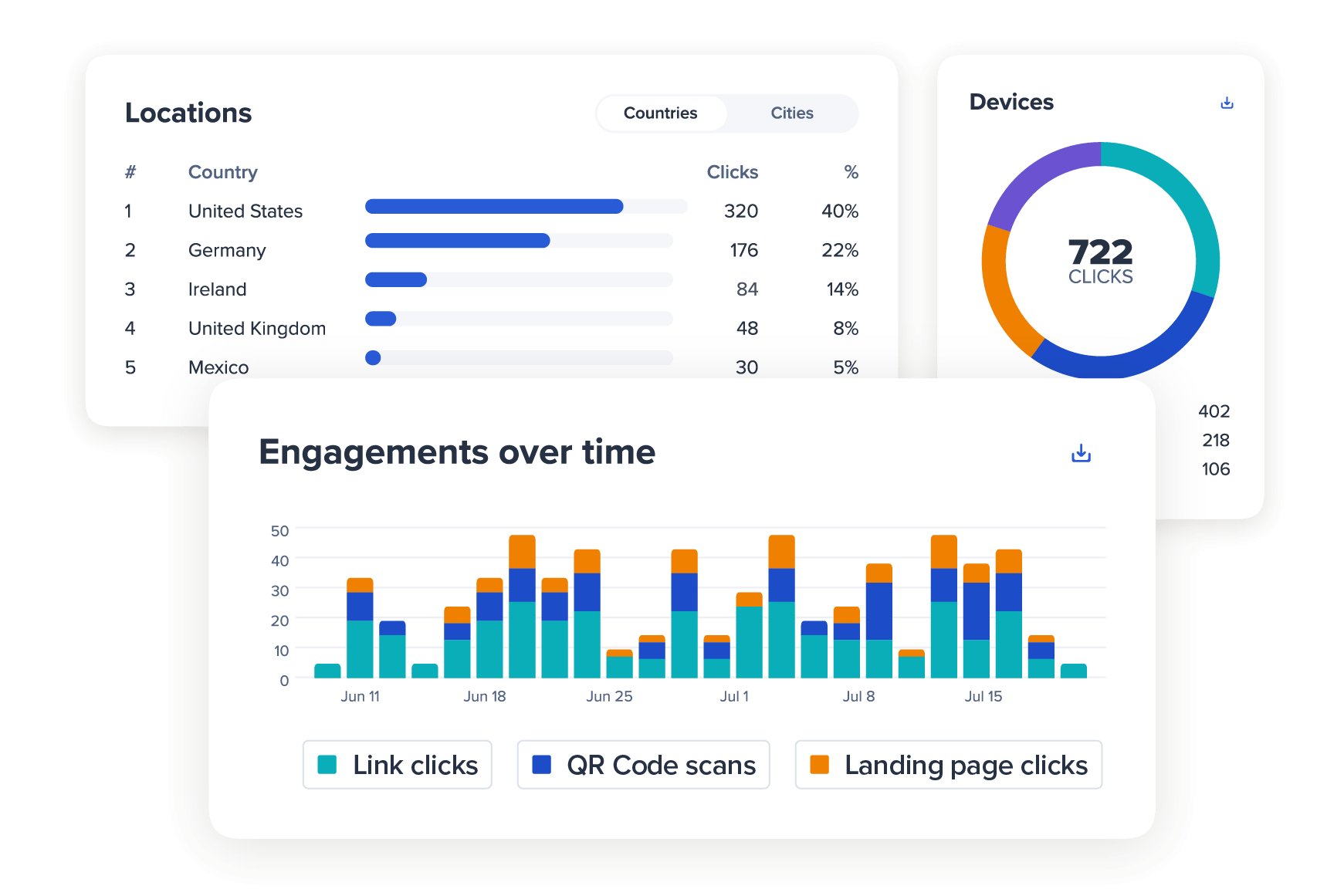
Link tracking is the practice of monitoring and measuring how people interact with the links you share online. Every time someone clicks one of your tracked links, data is recorded and reported back to your analytics dashboard. This data includes information such as how many people clicked the link, when they clicked it, where they were located when they clicked, what device and browser they were using, and where they came from (social media, email, direct search, etc.).
This information paints a clear picture of your audience and how your marketing content is performing across different channels.
Why Link Tracking Matters
Without link tracking, you are working with guesswork. You might spend hours crafting the perfect Instagram post, but have no idea whether anyone actually clicked through to your website. You might send out an email campaign to thousands of subscribers, but not know which links generated the most engagement. Link tracking removes the uncertainty. It tells you exactly what is working and what is not, so you can double down on your best-performing content and fix what is falling flat.
Key Metrics to Track
Total Clicks — This is the most basic metric. It tells you how many times your link was clicked. More clicks generally mean better content or better placement.
Unique Clicks — This shows how many individual people clicked your link, as opposed to the same person clicking multiple times. Unique clicks give you a clearer picture of your reach.
Click-Through Rate (CTR) — If you are tracking how many people saw a link versus how many clicked it, the click-through rate tells you the percentage who took action. A higher CTR means your link is more compelling.
Geographic Data — Knowing where your clicks are coming from can help you tailor your content, run location-based campaigns, or understand which markets are most interested in your offering.
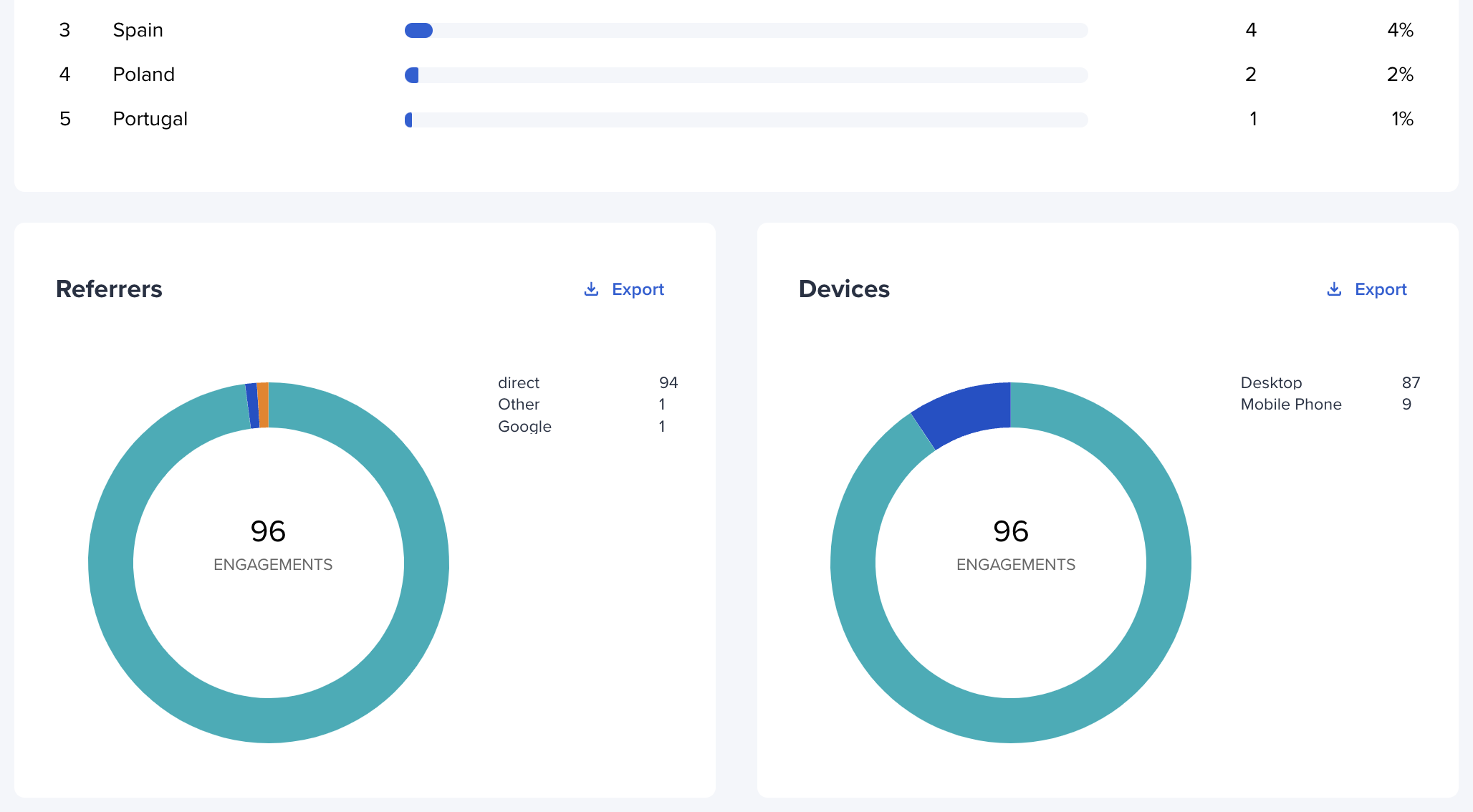
Device and Browser Data — Are most of your users on mobile? Are they using Chrome or Safari? This information helps you make sure your landing pages are optimized for the right experience.
Referral Source — This tells you where the click originated. Was it from Twitter? An email newsletter? A blog post? Knowing your top referral sources helps you invest more in what is driving traffic.
Time-Based Data — Seeing when people click your links helps you identify the best times to post or send emails for maximum engagement.
How to Track Links with appsbitly.com
Every link you shorten with appsbitly.com is automatically tracked. When you log into your dashboard and click on any link, you will see a full analytics breakdown with all the metrics we described above. You can filter data by date range, compare links to see which perform best, and export reports for presentations or deeper analysis.
For teams, you can organize links into campaigns and see aggregated data across multiple links at once — which is incredibly helpful for measuring the overall performance of a marketing push.
UTM Parameters and Link Tracking
For even more granular tracking, you can combine your short links with UTM parameters. UTM parameters are tags you add to your URL that tell Google Analytics where traffic is coming from. Combined with short link tracking, you get a comprehensive view of your audience’s journey from the moment they see your link to the moment they take action on your website.
Start Tracking Every Link Today
Every link you share is an opportunity to learn something about your audience. With appsbitly.com, you can start tracking every link in minutes and build up a data-rich picture of your marketing performance over time. Better data leads to better decisions — and better decisions lead to better results.