How to Create Custom Short Links That Strengthen Your Brand Identity
Branding is about consistency. Every touchpoint your audience has with your business — from your logo to your email signature — should reflect your brand identity. Your links are no different.
Custom short links replace generic short URLs with branded ones that include your own domain name. Instead of a random string of characters, your links look like a natural extension of your brand. In this post, we will explore why custom short links matter and how you can start creating them today.
What Are Custom Short Links?
A custom short link uses your own domain name as the base. For example, a generic short link might look like this:
https://appsbitly.com/xk92p
But a custom branded short link would look like this:
https://links.yourbrand.com/summer-sale
Both redirect to the same destination, but the branded version immediately tells people who the link belongs to. That familiarity builds trust and encourages more clicks.
Why Branded Links Get More Clicks
There is real data behind the power of branded short links. Research from multiple marketing studies shows that branded links consistently outperform generic ones in click-through rates, sometimes by as much as 34 percent. The reason is simple: people are cautious about where they click. When they see a link that includes a recognizable brand name, they feel more confident that it is safe and relevant.
How to Set Up Branded Short Links on appsbitly.com
Setting up custom short links on appsbitly.com is straightforward. Here is how the process works:
Step 1 — Add Your Custom Domain Log into your account and navigate to the domain settings. You will add the domain or subdomain you want to use for your short links. This could be something like go.yourbrand.com or links.yourbrand.com.
Step 2 — Update Your DNS Settings You will need to point your domain’s DNS records to appsbitly.com. This is typically done through your domain registrar (like GoDaddy, Namecheap, or Cloudflare). The process takes just a few minutes and usually propagates within a few hours.
Step 3 — Start Creating Branded Links Once your domain is connected, every short link you create will automatically use your custom domain. You can also customize the slug — the part after the slash — to make your links even more descriptive and memorable.
Best Practices for Creating Memorable Custom Short Links
Keep the slug short and descriptive. Use keywords that reflect the content, such as /free-trial or /summer-sale. Avoid using random characters. Use lowercase letters for consistency. Make it easy to read aloud, since sometimes people will hear a link spoken rather than see it written. Keep it relevant to the campaign or page it leads to.
Custom Short Links for Different Marketing Channels
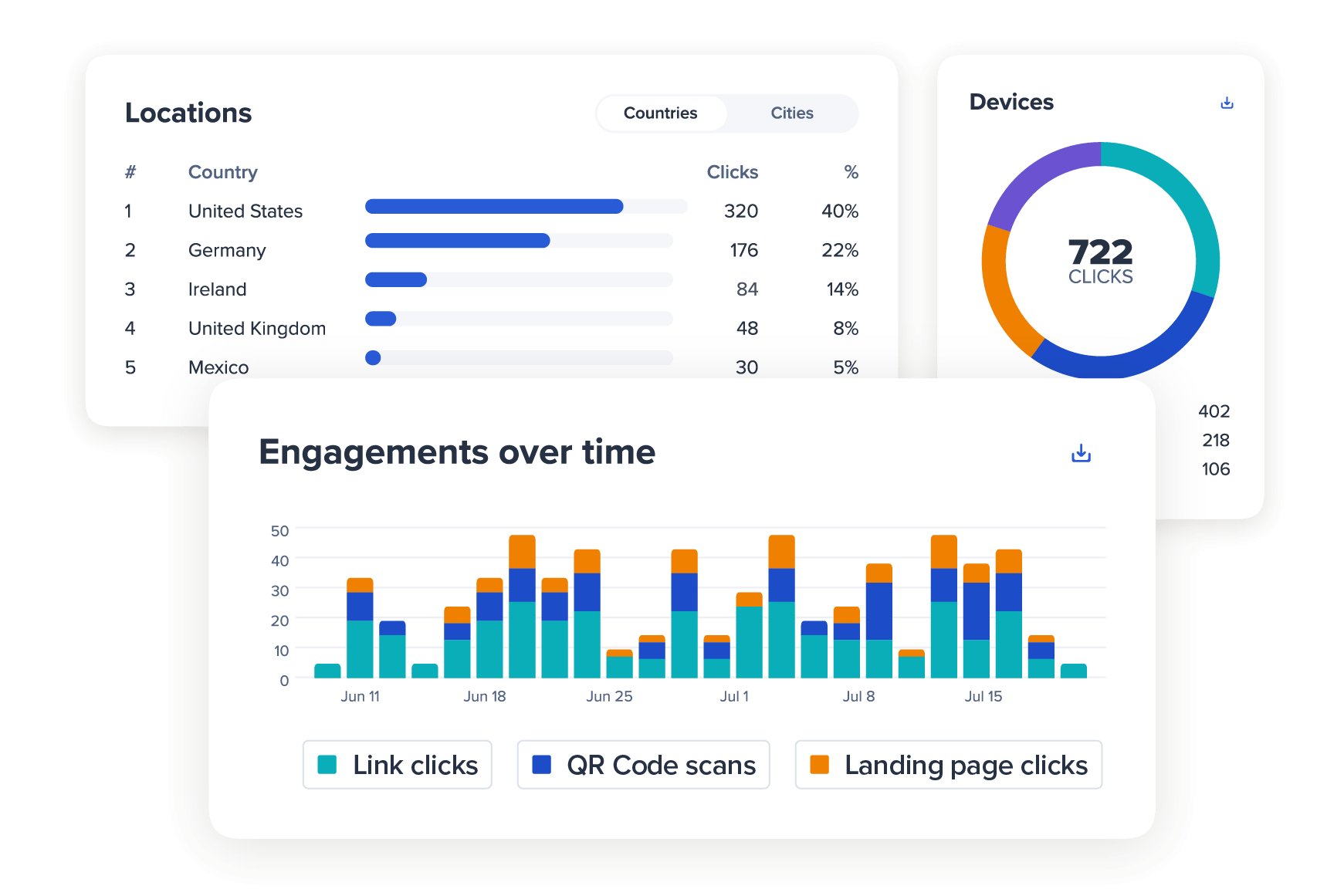
One smart way to use custom short links is to create different versions of the same link for different channels. For example, you might use /sale-ig for Instagram, /sale-fb for Facebook, and /sale-email for your newsletter. This way, your analytics dashboard will show you exactly how much traffic each channel is sending, giving you clear insights into which platforms are most effective for your business.
The Long-Term Brand Value
Every time someone sees your branded short link — whether on social media, in an email, on a business card, or in a YouTube video description — it reinforces your brand. Over time, this repetition builds familiarity and trust. It turns every link you share into a micro-branding opportunity.
Start Building Your Brand with Every Link
appsbitly.com makes it easy to add your own custom domain and start creating branded short links within minutes. Whether you are a solo entrepreneur or running a marketing team, branded links are one of the simplest upgrades you can make to your digital presence.