The Complete Guide to QR Codes: How to Create, Customize, and Track Them
QR codes have made a massive comeback in recent years. What was once seen as a novelty has become a practical, everyday tool for businesses, marketers, and content creators. From restaurant menus to product packaging, event tickets to business cards, QR codes are everywhere — and for good reason.
In this complete guide, we will cover everything you need to know about QR codes: what they are, how they work, how to create and customize them, and how to track their performance.
What Is a QR Code?
QR stands for Quick Response. A QR code is a two-dimensional barcode that can store information such as a URL, text, contact details, or payment information. When someone scans a QR code with their smartphone camera, they are instantly taken to the linked destination — no typing required.
Why QR Codes Are More Relevant Than Ever
The pandemic accelerated QR code adoption dramatically. Restaurants replaced physical menus with QR-linked digital ones. Retailers added QR codes to receipts and packaging. Events used them for contactless check-in. Now that people are comfortable scanning QR codes, businesses have an incredibly easy way to bridge the gap between the physical and digital worlds.
What Can You Use QR Codes For?
QR codes are incredibly versatile. Here are just some of the ways businesses use them: linking printed materials to websites or landing pages, sharing Wi-Fi credentials, directing customers to app download pages, enabling contactless payments, collecting customer feedback via surveys, sharing contact information, promoting social media profiles, and driving traffic to promotional campaigns.
How to Create a QR Code with appsbitly.com
Creating a QR code on appsbitly.com is fast and simple. Log into your account, navigate to the QR Codes section, paste the URL or enter the information you want your QR code to contain, customize the design (more on this below), and download your QR code in the format you need.
Customizing Your QR Codes
One of the most important features of a premium QR code generator is the ability to customize the design. Basic QR codes are functional but bland. Customized QR codes are branded, eye-catching, and more likely to get scanned. With appsbitly.com, you can change the colors of your QR code to match your brand palette, add your logo to the center of the code, choose from different shapes and patterns, and adjust the size and format for different use cases.
Branded QR codes are not just prettier — they also increase trust. When someone sees a QR code with a recognizable logo and brand colors, they are more likely to scan it because they know who it belongs to.
The Importance of Tracking QR Code Scans
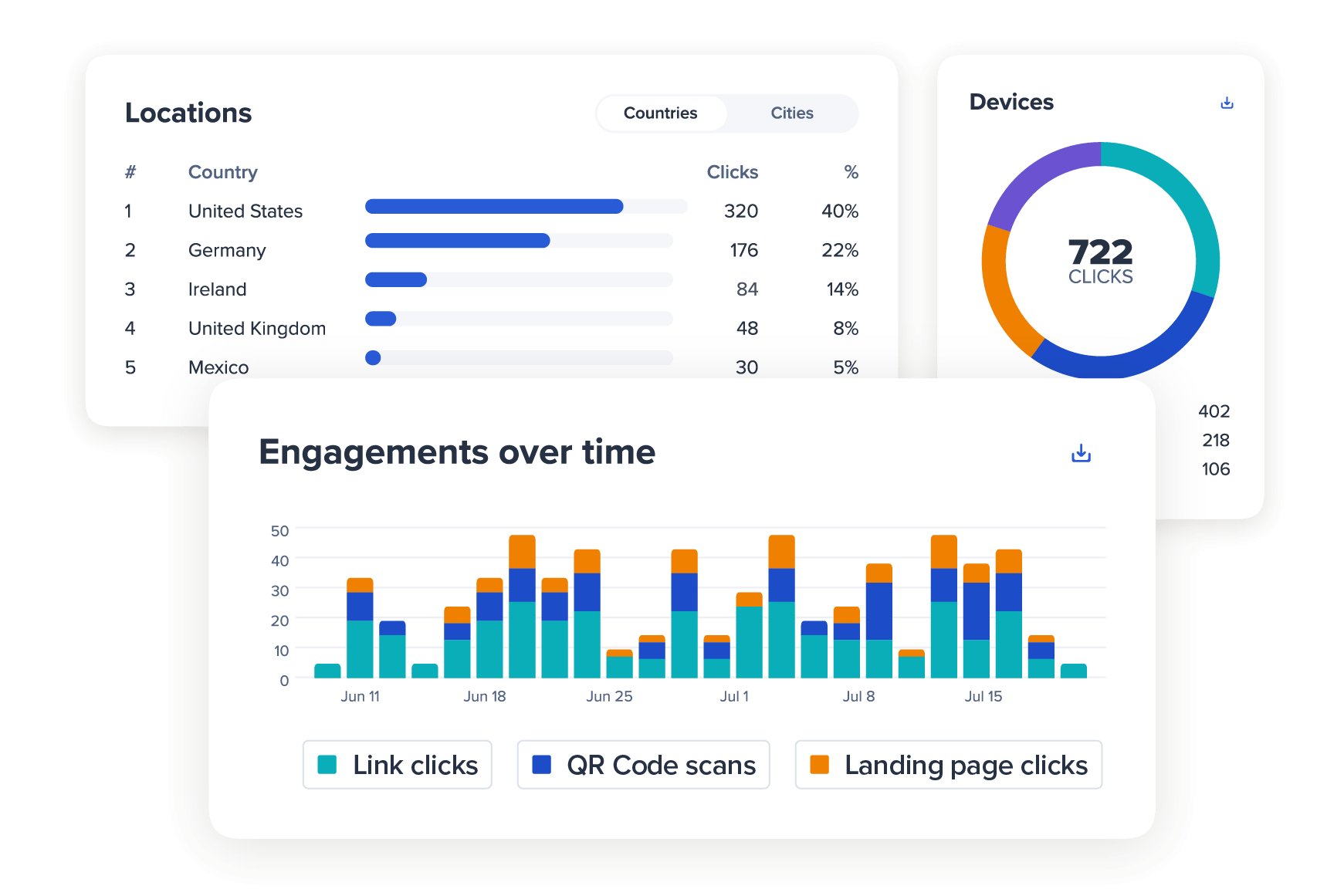
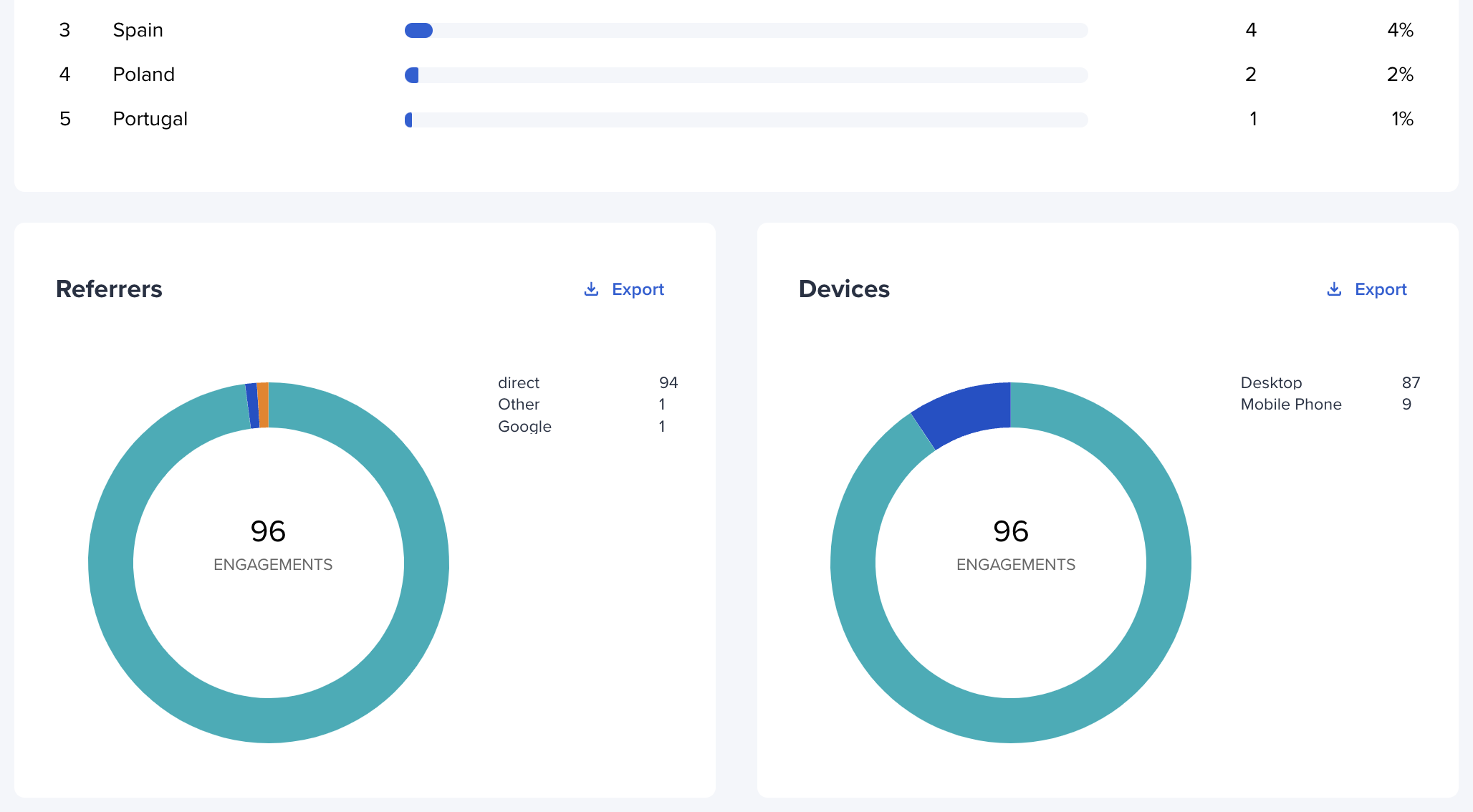
Creating a QR code is only half the job. The other half is understanding how it performs. With appsbitly.com, every QR code you create is trackable. You can see the total number of scans, when the scans happened, where the scans occurred geographically, what type of device was used, and the operating system of the scanner.
This data helps you understand the ROI of your QR code campaigns and make better decisions about where to place them, what design works best, and which locations or events drive the most engagement.
Tips for Getting the Most Out of Your QR Codes
Always test your QR code before printing or publishing it. Place QR codes in locations where people have time to scan them — avoid placing them on moving vehicles or in spots with poor lighting. Add a clear call-to-action near your QR code, such as “Scan for 20% off” or “Scan to see the menu.” Make sure the landing page your QR code points to is mobile-friendly, since almost everyone scanning will be on a smartphone. Use dynamic QR codes (available through appsbitly.com) so you can update the destination without reprinting.
Dynamic vs. Static QR Codes
There are two types of QR codes: static and dynamic. A static QR code has its destination permanently encoded into it. You cannot change it after it is created. A dynamic QR code uses a redirect, meaning you can update the destination at any time without creating a new